[AI EcoSystem]12. 챗GPT 너머의 신세계: 당신의 생산성을 폭발시킬 AI 서비스 TOP 5 (Beyond ChatGPT: Top 5 AI Services to Supercharge Your Productivity)
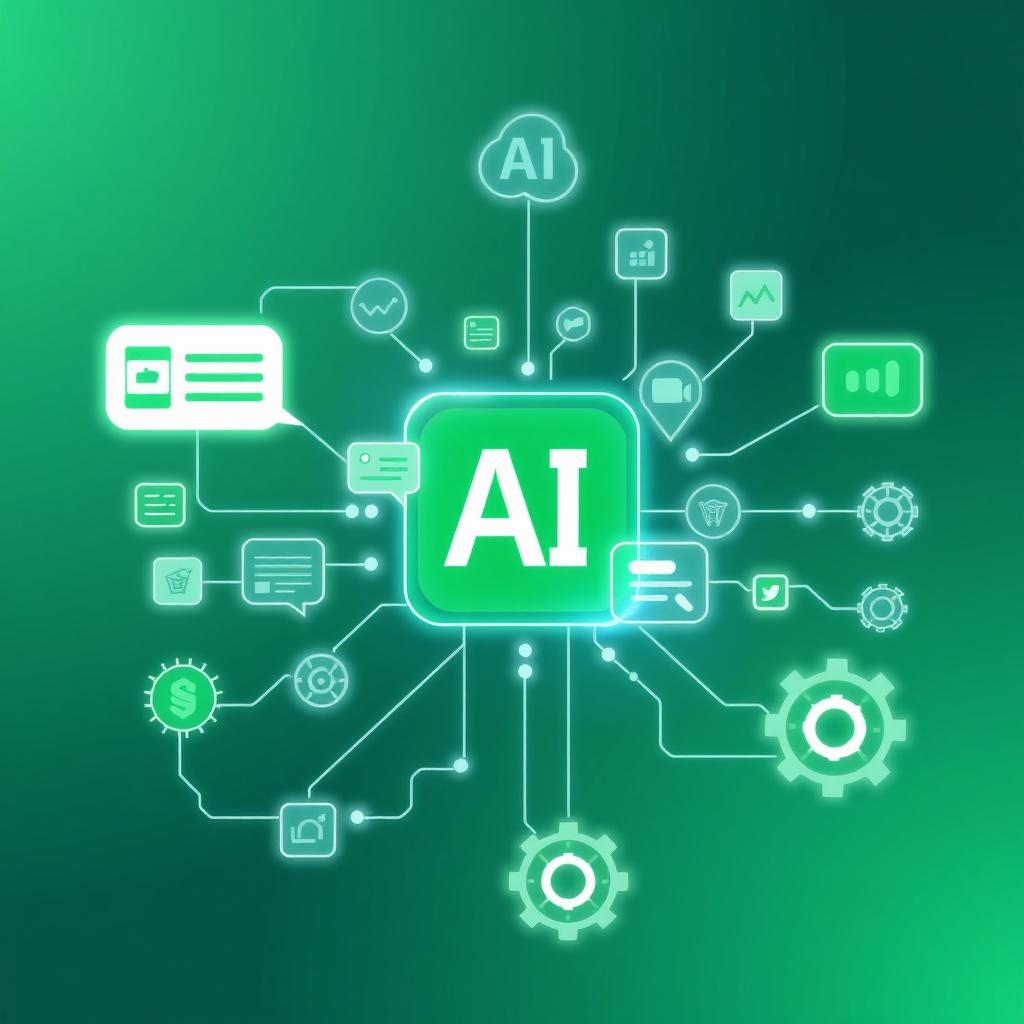
최근 뉴스에서 'GPT-5 출시 임박', 'AI 반도체 시장 폭주', '마이크로소프트 코파일럿' 같은 헤드라인을 자주 접하시죠? 🧠 수많은 정보 속에서 '도대체 나랑 무슨 상관인데?' 하는 생각도 드실 겁니다. 단순한 호기심을 넘어, 이 기술들이 여러분의 생산성과 경쟁력을 어떻게 폭발시킬 수 있을지 궁금하지 않으신가요? 오늘은 AI 생태계의 핵심 축 중 하나인 '생산성 AI 서비스'에 대해 명쾌하게 정리하고, 여러분이 최신 트렌드를 읽고 실제 업무에 적용해 '있어빌리티'를 뿜어낼 수 있도록 실질적인 가이드를 제공해 드리겠습니다! 🚀
1. 챗GPT 너머의 신세계: AI 서비스 유형별 특징 💡
많은 분들이 'AI 서비스'하면 챗GPT와 같은 대화형 AI를 떠올립니다. 물론 챗GPT는 AI의 대중화를 이끈 혁신적인 서비스이지만, 이는 빙산의 일각에 불과합니다. 여러분의 업무 생산성을 극대화할 수 있는 다양한 AI 서비스 유형을 알아볼까요? 제가 보기에는 크게 네 가지로 나눌 수 있습니다.
| 유형 | 주요 기능 | 대표 서비스 | 생산성 기여 |
|---|---|---|---|
| 대화형/생성형 AI | 텍스트, 이미지, 코드 생성, 요약, 번역 | ChatGPT, Claude, Gemini, Midjourney | 아이디어 발상, 초안 작성 시간 단축 |
| 검색형/리서치 AI | 정확한 정보 검색, 자료 분석 및 요약 | Perplexity AI, You.com | 정보 탐색 시간 절약, 신뢰도 높은 자료 확보 |
| 자동화/업무 보조 AI | 반복 업무 자동화, 스케줄 관리, 데이터 연동 | Zapier, Make, Microsoft Copilot | 수작업 감소, 업무 흐름 최적화 |
| 데이터 분석/인사이트 AI | 방대한 데이터 분석, 시각화, 예측 | Tableau/Power BI AI 기능, Google Looker | 객관적 의사결정 지원, 시장 예측 |
보시다시피, AI는 단순히 문장을 만들거나 질문에 답하는 것을 넘어 여러분의 업무 전반에 걸쳐 다양한 방식으로 기여할 수 있습니다. 중요한 것은 자신의 필요에 맞는 AI 서비스를 정확히 파악하고 활용하는 능력입니다.
2. AI 생산성 도구의 최신 트렌드: '슈퍼 앱'으로의 진화 🚀
최근 AI 서비스의 가장 흥미로운 트렌드 중 하나는 '슈퍼 앱(Super App)'으로의 진화입니다. 여러 개의 AI 기능을 개별적으로 사용하는 것이 아니라, 하나의 플랫폼에서 대화, 검색, 생성, 자동화 등의 기능을 통합하여 제공하는 방식이죠. 마치 스마트폰에서 카카오톡이 메시징을 넘어 쇼핑, 금융, 게임 등 다양한 서비스를 제공하는 것과 유사합니다.
예를 들어, 마이크로소프트의 코파일럿(Copilot)은 워드, 엑셀, 파워포인트 등 MS 365 앱 전반에서 문서 작성, 데이터 분석, 발표 자료 생성 등을 AI가 직접 돕습니다. 노션(Notion) AI는 회의록 요약, 아이디어 브레인스토밍, 문서 초안 작성 등 복합적인 문서 작업을 지원하죠. 이러한 '슈퍼 앱' 트렌드는 다음과 같은 이점을 제공합니다.
- 원활한 워크플로우: 여러 앱을 오갈 필요 없이 한 곳에서 모든 작업을 처리.
- 컨텍스트 유지: AI가 사용자의 이전 작업 내용을 기억하여 더 정확하고 유용한 결과 도출.
- 개인화된 경험: 사용자의 업무 스타일과 데이터를 학습하여 점차 맞춤형 솔루션 제공.
앞으로의 AI 서비스는 단순 기능 제공을 넘어, 여러분의 개인 비서처럼 전체 업무 흐름을 이해하고 선제적으로 돕는 방향으로 발전할 것입니다. 이 트렌드를 주시하며 어떤 슈퍼 앱이 여러분의 업무에 가장 큰 시너지를 낼지 고민해 보세요.
3. AI 활용 능력, 개인의 '있어빌리티' 경쟁력으로! 📈
IT 기획 팀장으로서 제가 늘 강조하는 것이 있습니다. 미래 시대에는 AI 자체를 개발하는 능력만큼이나 'AI를 잘 활용하는 능력'이 중요하다는 것입니다. 단순히 챗GPT에게 질문을 던지는 것을 넘어, 어떻게 질문해야 최고의 답변을 얻고, 그 답변을 내 업무에 어떻게 통합하고 발전시킬지가 바로 여러분의 '있어빌리티'를 결정합니다.
- 업무 효율의 극대화: AI는 단순 반복 업무를 대신하여 여러분이 더 중요하고 창의적인 일에 집중할 시간을 벌어줍니다.
- 문제 해결 능력 향상: 복잡한 데이터 분석, 시장 트렌드 파악 등을 AI의 도움을 받아 더 빠르고 정확하게 수행할 수 있습니다.
- 커리어 성장 동력: AI 활용 역량은 여러분을 단순 실무자를 넘어 전략적 사고를 갖춘 전문가로 성장시키는 강력한 도구가 됩니다.
AI는 강력한 도구이지만, 그 결과물을 맹신해서는 안 됩니다. AI의 답변을 비판적으로 검토하고, 사실 여부를 확인하는 과정은 여전히 인간의 중요한 역할입니다. AI를 '생각 없는 비서'로만 활용하면 오히려 잘못된 정보로 인해 큰 실수를 저지를 수 있습니다.
4. 업무별 추천 AI 서비스와 실제 활용 사례 🎯
이제 구체적으로 어떤 AI 서비스를 여러분의 업무에 적용할 수 있을지 살펴보겠습니다. 제가 실무에서 유용하게 사용했거나, 주변 동료들에게 추천하는 서비스들입니다.
[사례 1. 기획/마케팅 전문가] 📝
새로운 캠페인 아이디어가 필요할 때, ChatGPT나 Claude에 타겟 고객과 제품 특징을 입력하고 다양한 컨셉을 요청합니다. 초안이 나오면 Midjourney로 관련 이미지 시안을 빠르게 생성하여 기획안에 첨부하죠. 경쟁사 분석은 Perplexity AI로 최신 시장 동향과 데이터를 종합합니다. 이 모든 과정을 몇 시간 내에 끝낼 수 있습니다!
[사례 2. 개발자] 💻
코드 작성 시 GitHub Copilot은 함수나 코드 블록을 자동으로 제안하여 개발 속도를 비약적으로 높여줍니다. 버그 발생 시에는 오류 메시지를 ChatGPT에 입력하여 원인 분석과 해결 방안을 즉시 얻습니다. 덕분에 디버깅 시간이 현저히 줄어들어 더 복잡하고 창의적인 문제 해결에 집중할 수 있게 됩니다.
[사례 3. 운영/사무직] 📊
반복적인 데이터 입력이나 파일 전송은 Zapier나 Make를 활용하여 자동화합니다. 이메일 작성이나 회의록 요약은 Microsoft Copilot이나 Notion AI의 도움을 받아 시간을 절약하죠. 보고서에 필요한 데이터 분석 및 시각화는 Excel AI 기능을 활용하여 빠르게 인사이트를 도출합니다.
자주 묻는 질문 (FAQ) ❓
Q1: AI 서비스를 시작하려면 어떤 것부터 해야 하나요?
A1: 가장 먼저 자신의 업무에서 반복적이거나 시간이 많이 소요되는 부분을 파악하는 것이 중요합니다. 예를 들어, 글쓰기, 자료 조사, 데이터 분석 등 어떤 작업을 AI가 도와줄 수 있을지 생각해보고, 해당 분야에 특화된 AI 서비스(예: 글쓰기는 챗GPT, 자료 조사는 Perplexity AI)부터 시작하는 것이 좋습니다. 처음에는 무료 버전이나 체험판을 활용하여 다양한 서비스를 경험해보세요.
Q2: AI가 내 일자리를 대체할까요?
A2: AI는 일자리를 '대체'하기보다는 '변화'시키는 도구로 보는 것이 더 적합합니다. 단순 반복적인 업무는 AI가 처리할 가능성이 높지만, 비판적 사고, 창의성, 문제 해결 능력 등 인간 고유의 역량은 더욱 중요해질 것입니다. AI를 활용하여 업무 효율을 높이고 새로운 가치를 창출하는 방법을 익히는 것이 미래 경쟁력 확보의 핵심입니다.
Q3: 무료 AI 서비스만 사용해도 충분할까요?
A3: 초기에는 무료 AI 서비스로 충분히 많은 것을 경험하고 배울 수 있습니다. 하지만 특정 업무에서 전문적인 기능, 높은 성능, 더 많은 데이터 처리량, 또는 보안이 중요한 경우 유료 서비스를 고려해볼 필요가 있습니다. 특히 기업 환경에서는 보안, 데이터 연동, 맞춤형 기능 등을 위해 유료 엔터프라이즈 솔루션이 더 적합할 수 있습니다. 개인의 필요와 예산에 맞춰 유연하게 선택하는 것이 중요합니다.
이제 챗GPT 너머의 광활한 AI 서비스 생태계를 조금은 이해하셨나요? 오늘 배운 AI 서비스 유형과 슈퍼 앱 트렌드, 그리고 실질적인 활용 사례들을 통해 여러분의 '있어빌리티'가 한층 더 높아졌기를 바랍니다. 💡 중요한 것은 AI를 두려워하는 것이 아니라, 현명하게 활용하는 능력을 키우는 것입니다. 다음 편에서는 더욱 흥미로운 AI 생태계 이야기로 돌아오겠습니다! 여러분의 업무에 AI를 접목하여 놀라운 변화를 만들어보세요! 🚀
You've likely encountered headlines like 'GPT-5 Release Imminent,' 'AI Semiconductor Market Surge,' or 'Microsoft Copilot' recently, haven't you? 🧠 Amidst this flood of information, you might wonder, 'What does this even mean for me?' Beyond mere curiosity, aren't you eager to understand how these technologies can supercharge your productivity and competitiveness? Today, I'll clearly define 'Productivity AI Services,' a core pillar of the AI ecosystem, and provide practical guidance to help you grasp the latest trends and apply them in your work to demonstrate your 'it-ssuhbility' (making yourself seem highly capable and knowledgeable)! 🚀
1. Beyond ChatGPT: Understanding AI Service Types 💡
Many people associate 'AI services' primarily with conversational AIs like ChatGPT. While ChatGPT is undoubtedly a groundbreaking service that popularized AI, it's just the tip of the iceberg. Let's explore the various types of AI services that can maximize your work productivity. From my perspective as an IT planning team leader, they can be broadly categorized into four types:
| Type | Key Functions | Key Services | Productivity Contribution |
|---|---|---|---|
| Conversational/Generative AI | Text, image, code generation, summarization, translation | ChatGPT, Claude, Gemini, Midjourney | Idea generation, drafting time reduction |
| Search/Research AI | Accurate information retrieval, data analysis & summarization | Perplexity AI, You.com | Saving research time, securing reliable data |
| Automation/Assistant AI | Automating repetitive tasks, schedule management, data integration | Zapier, Make, Microsoft Copilot | Reducing manual work, optimizing workflows |
| Data Analysis/Insight AI | Analyzing vast data, visualization, prediction | Tableau/Power BI AI features, Google Looker | Supporting objective decision-making, market forecasting |
As you can see, AI can contribute in various ways across your entire workflow, not just by generating text or answering questions. The key is your ability to accurately identify and utilize AI services that match your specific needs.
2. Latest Trend in AI Productivity Tools: Evolution to 'Super Apps' 🚀
One of the most exciting trends in recent AI services is their evolution into 'Super Apps.' This means integrating multiple AI functionalities – like conversation, search, generation, and automation – into a single platform, rather than using separate AI tools. It's similar to how KakaoTalk on your smartphone offers not just messaging but also shopping, finance, and gaming services.
For instance, Microsoft's Copilot directly assists with document creation, data analysis, and presentation generation across MS 365 apps like Word, Excel, and PowerPoint. Notion AI supports complex document tasks such as summarizing meeting notes, brainstorming ideas, and drafting content. This 'super app' trend offers several advantages:
- Seamless Workflow: Handle all tasks in one place without switching between multiple apps.
- Context Retention: AI remembers your previous work, leading to more accurate and useful results.
- Personalized Experience: Learn from your work style and data to progressively offer customized solutions.
Future AI services will go beyond simple feature provision; they will evolve to understand your entire workflow and proactively assist you, much like a personal assistant. Keep an eye on this trend and consider which super app might create the greatest synergy for your work.
3. AI Proficiency: A Key to Personal 'It-ssuhbility' Competitiveness! 📈
As an IT planning team leader, there's something I always emphasize: in the future, the ability to effectively utilize AI is just as important as the ability to develop AI itself. Beyond simply asking ChatGPT questions, how you formulate your queries to get the best answers, and how you integrate and evolve those answers into your work, is precisely what defines your 'it-ssuhbility.'
- Maximizing Work Efficiency: AI handles repetitive tasks, freeing up your time to focus on more critical and creative work.
- Enhancing Problem-Solving Skills: With AI's help, you can perform complex data analysis and grasp market trends more quickly and accurately.
- Driving Career Growth: AI utilization skills are a powerful tool that transforms you from a mere practitioner into a strategic-thinking expert.
While AI is a powerful tool, its output should not be blindly trusted. Critically reviewing AI's answers and verifying facts remains a crucial human role. Using AI merely as a 'mindless assistant' can lead to significant errors due to misinformation.
4. Recommended AI Services by Task & Real-world Examples 🎯
Now, let's look at specific AI services you can apply to your work. These are services I've found useful in practice or recommend to colleagues.
[Case 1. Planning/Marketing Professionals] 📝
When new campaign ideas are needed, I input target customers and product features into ChatGPT or Claude and request various concepts. Once a draft is ready, I quickly generate related image mock-ups with Midjourney to attach to the proposal. For competitor analysis, Perplexity AI synthesizes the latest market trends and data. All these processes can be completed within hours!
[Case 2. Developers] 💻
When writing code, GitHub Copilot significantly accelerates development by automatically suggesting functions or code blocks. When bugs occur, I input error messages into ChatGPT to instantly get root cause analysis and solutions. This drastically reduces debugging time, allowing me to focus on more complex and creative problem-solving.
[Case 3. Operations/Office Workers] 📊
Repetitive data entry or file transfers are automated using Zapier or Make. Email drafting and meeting summary generation save time with the help of Microsoft Copilot or Notion AI. For data analysis and visualization needed for reports, I quickly derive insights using Excel AI features.
Frequently Asked Questions (FAQ) ❓
Q1: Where should I start if I want to use AI services?
A1: First, it's crucial to identify repetitive or time-consuming parts of your work. For example, consider which tasks AI can assist with, such as writing, research, or data analysis, and start with AI services specialized in those areas (e.g., ChatGPT for writing, Perplexity AI for research). Begin by exploring various services using free versions or trials.
Q2: Will AI replace my job?
A2: It's more appropriate to view AI as a tool that 'transforms' rather than 'replaces' jobs. While AI is likely to handle simple, repetitive tasks, uniquely human capabilities like critical thinking, creativity, and problem-solving will become even more important. Mastering how to leverage AI to boost work efficiency and create new value is key to securing future competitiveness.
Q3: Are free AI services sufficient?
A3: Initially, free AI services can provide ample experience and learning. However, for professional features, higher performance, larger data processing capabilities, or when security is paramount in specific tasks, considering paid services might be necessary. Especially in corporate environments, paid enterprise solutions might be more suitable for security, data integration, and customized features. It's important to choose flexibly based on individual needs and budget.
Have you now gained a clearer understanding of the vast AI service ecosystem beyond ChatGPT? I hope your 'it-ssuhbility' has significantly improved through the AI service types, super app trends, and practical application examples discussed today. 💡 The crucial point is not to fear AI, but to cultivate the ability to use it wisely. We'll return with more fascinating stories from the AI ecosystem in the next installment! Integrate AI into your work and create amazing changes! 🚀
댓글
댓글 쓰기